Open source
Audit, adapt, and integrate a transparent platform without proprietary lock-in, designed for long-term control.
OPEN SOURCE · COLLABORATION · GOVERNANCE




Data governance, controlled collaboration, and productivity combined in an open-source platform.
Audit, adapt, and integrate a transparent platform without proprietary lock-in, designed for long-term control.
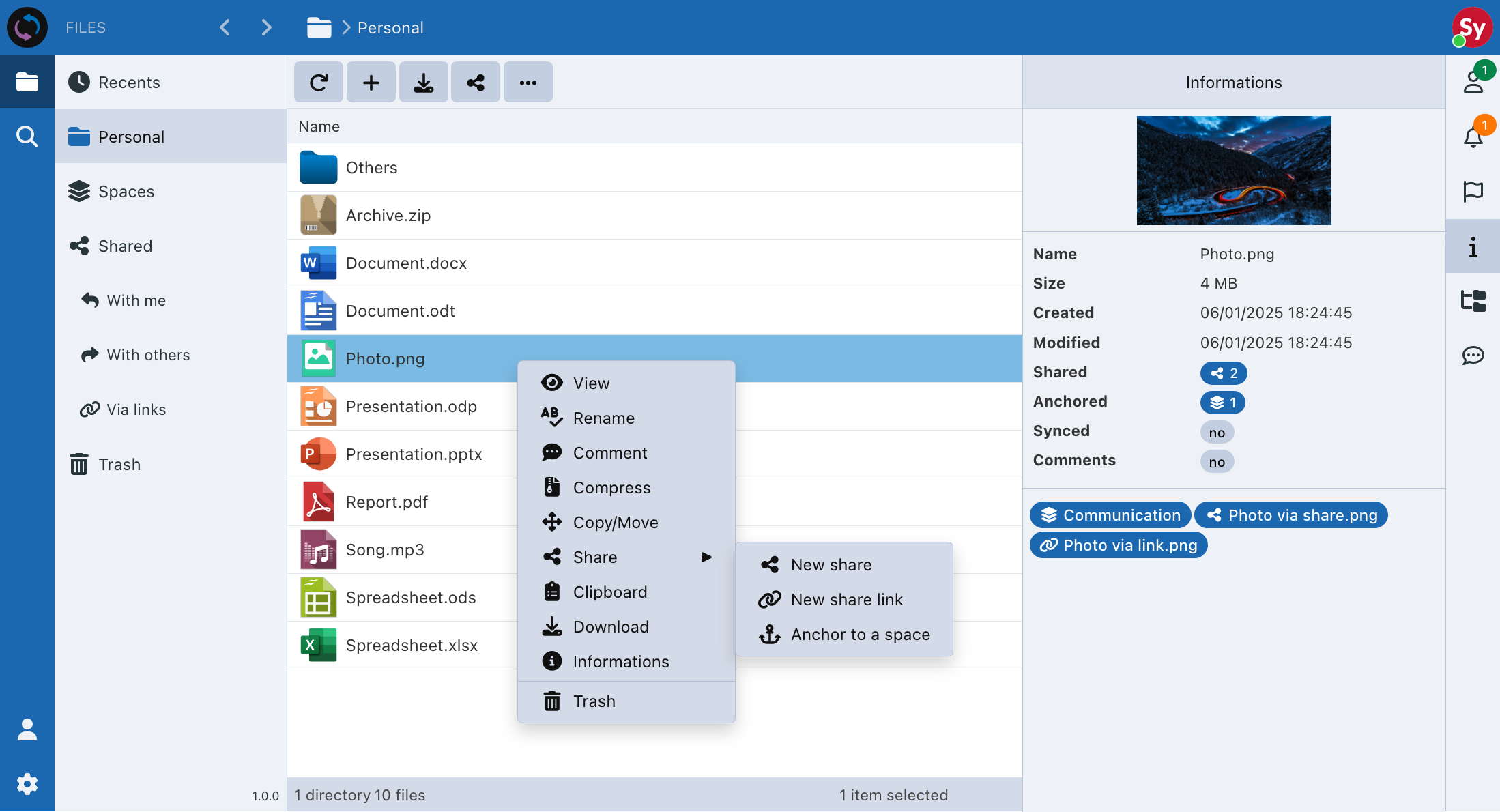
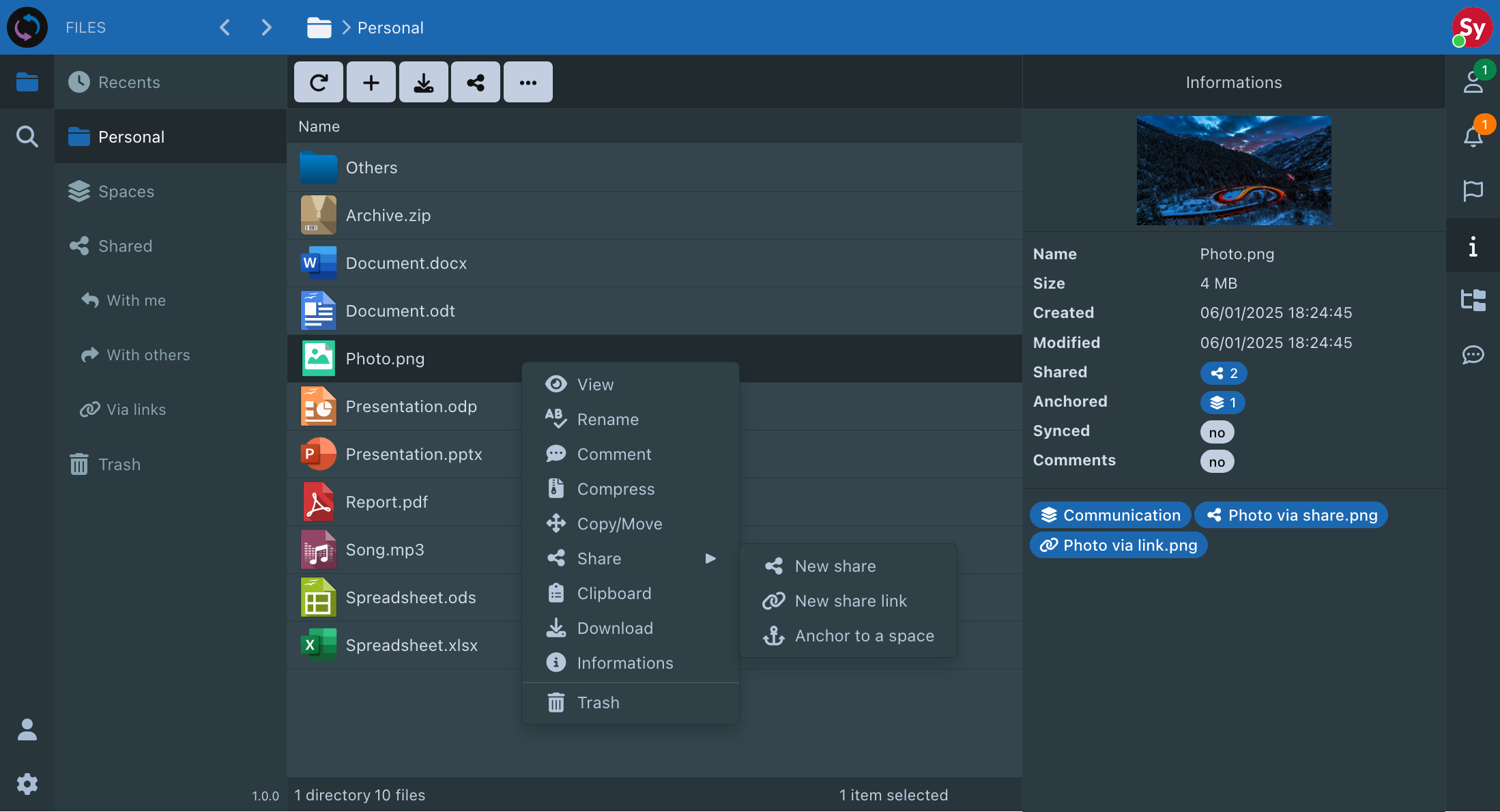
Keep files readable outside the application, anchor existing content without duplication, and preserve storage control.
Structure collaboration with spaces, guests, groups, managers, nested shares, and controlled access.
Apply the same permission logic across the web interface, WebDAV, synchronization, editors, and APIs.
Secure sharing, comments, notifications, locking, office editing, and activity tracking stay in one workflow.
Find content with full-text search, keep files up to date with desktop clients, and use WebDAV when needed.
Discover the key differences between Sync-in, proprietary platforms, and open-source file collaboration platforms.
Discover where Sync-in stands beside proprietary cloud platforms when control, sharing, and file collaboration matter.
Explore the architecture and file collaboration differences between Sync-in and leading open-source platforms.
Sync-in simplifies file management, collaborative work, and sharing, while ensuring you have total control over access and data.
Sync-in is designed for organizations that need to collaborate on sensitive files across teams, sites, partners, and controlled infrastructure.
Centralize documents shared by departments, services, and external providers while preserving clear administrative boundaries. Managers retain an overview of teams, access rules, and available files.
From design offices to field workstations, every team works from the latest plans and technical folders. Contractors and partners receive only the project files relevant to their work.
Organize sensitive documents by client, matter, or procedure, then invite external parties into a controlled space. Sharing, review, comments, and editing remain protected throughout the case.
Deploy file collaboration within your controlled infrastructure and connect it to existing access channels. Users, clients, services, WebDAV, synchronization, and APIs fit into an environment that can be automated.
Keep field operations moving despite intermittent connectivity or lightweight infrastructure. Local files, mobile access, controlled synchronization, and selective service deployment support each mission.
Give sites, subsidiaries, and partners a common document base without disrupting local workflows. Governed spaces, desktop synchronization, WebDAV, and controlled sharing connect distributed teams.
Support to secure operations, accelerate integrations, and drive the performance of your Sync-in platform.
Architecture guidance, hardening, permissions, and compliance support for multi-site environments.
Deployment, information-system integrations, performance audits, and scalability optimization.
Incident prioritization, technical coordination, and operational follow-up aligned with business goals.